
Overall Rating: 8.6 / 10
Three types of people are reading this right now.
The first just watched a YouTube video about someone losing $200,000 because their exchange got hacked. They’re scared and looking for a solution. The second had crypto on FTX in November 2022 and remembers exactly what it felt like to log in and see a zero balance. The third is the cautious type who never trusted exchanges in the first place and is now researching whether a hardware wallet is actually worth the money, the setup hassle, and the responsibility of holding their own keys.
All three of you need the same thing: a straight answer about whether Trezor solves the problem.
Here it is: mostly yes, with conditions.
This isn’t a feature spec rundown. This is a survival guide — what you actually need to know to protect your crypto, what Trezor does well, where it can still get you killed financially, and the specific mistakes that wipe people out even after they buy a hardware wallet.
Before reviewing the product, let’s be clear about the threat model, because most people buying hardware wallets are protecting against the wrong things.
Threat #1 — Exchange collapse or hack. FTX, Mt. Gox, Celsius, BlockFi. These aren’t anomalies; they’re a pattern. When you hold crypto on an exchange, you hold an IOU, not actual crypto. If the exchange fails — through hacks, mismanagement, fraud, or regulatory shutdown — your IOU becomes worthless. A hardware wallet eliminates this risk entirely. Your crypto lives on the blockchain; the Trezor just holds the key to access it.
Threat #2 — Malware and remote hacks. Keyloggers, clipboard hijackers, and browser extensions that replace wallet addresses. These attacks target the software on your computer and phone. Trezor’s offline architecture defeats them — even if your computer is fully compromised, a hacker can’t steal keys that never touch your computer.
Threat #3 — Phishing. Fake websites, fake support emails, fake MetaMask popups. Trezor’s on-device “Trusted Display” is your defense here — the device shows you exactly what you’re signing before you confirm. If the address on your screen doesn’t match the address on the Trezor, don’t confirm.
Threat #4 — You. This is the one hardware wallet companies don’t advertise loudly enough. More people lose crypto to self-inflicted mistakes than to hackers. Recovery phrase stored in a screenshot (bad). Recovery phrase entered into a website that “needed to verify it” (catastrophic). Recovery phrase written on paper that got lost in a house move (gone forever). Trezor can’t protect you from yourself — and this guide is going to spend real time on this.
What Trezor does NOT protect against: Physical theft of the device plus knowledge of your PIN. A $5 wrench attack (someone forces you to transfer at gunpoint). Quantum computing breaking elliptic curve cryptography — though the new Safe 7 is being built with post-quantum security in mind.
Now that you know what you’re actually fighting, let’s look at how Trezor performs as a weapon.
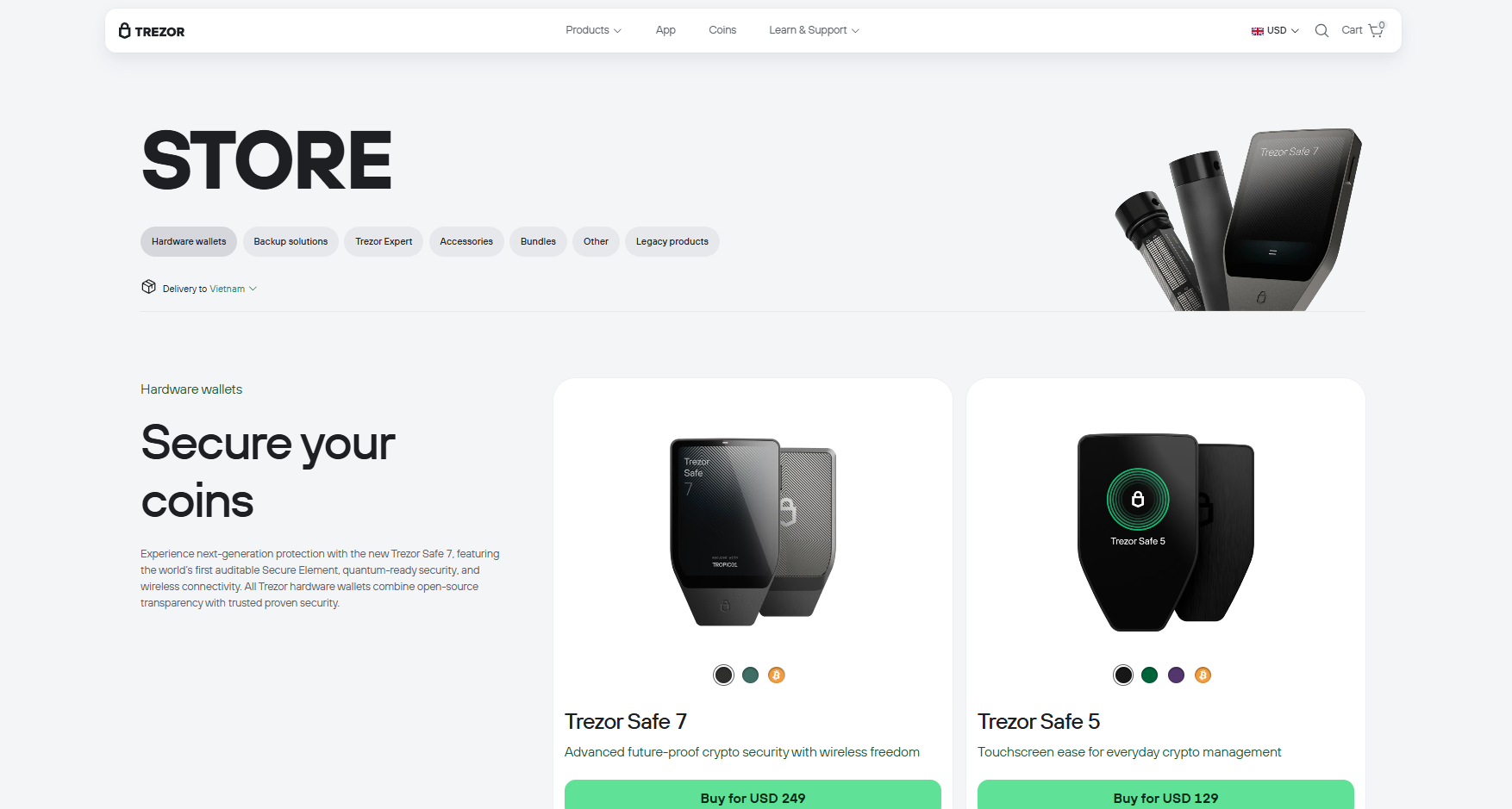
Trezor currently sells three hardware wallet models. Think of it as Good, Better, and Future-Proof.
Trezor Safe 3 (~$79): The workhorse. Small, solid, EAL6+ Secure Element chip, PIN and passphrase protection, supports thousands of coins. It has two buttons and a small screen, which makes setup less intuitive than a touchscreen device but works fine once you’re past the learning curve. For straightforward cold storage of Bitcoin and Ethereum, this is all most people need.
Trezor Safe 5 (~$169): The daily driver for active users. Adds a 1.54-inch color touchscreen with haptic feedback, Gorilla Glass screen protection, and an improved 20-word backup standard that supports Advanced Multi-share Backup. If you’re frequently connecting your wallet to dApps, checking addresses, or managing a diverse portfolio, the touchscreen makes the experience meaningfully better — not just prettier.
Trezor Safe 7: The flagship with quantum-resistant security architecture. Pricing sits above the Safe 5. Unless you’re thinking in decade-long time horizons or holding very large amounts, this is optional. But it’s the direction the industry is moving, and first-mover peace of mind has value.
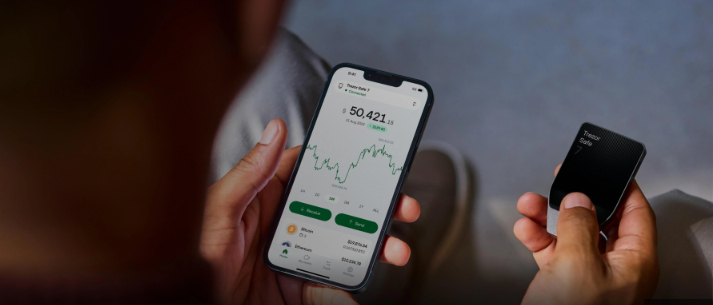
All models connect via USB-C. None have Bluetooth or wireless. This is intentional — every wireless protocol is an attack surface, and Trezor has decided the convenience isn’t worth the risk. You will need a cable and a laptop or Android phone for full functionality. iPhone users get a limited experience: the iOS app lets you view your portfolio but won’t let you send, swap, or manage the device. This is a real limitation that Trezor has not fixed as of 2025.
Let’s walk through setup the way a survival guide should — with the mistakes called out explicitly, not buried in footnotes.
Step 1: Buy only from trezor.io or an authorized reseller. Used Trezors on eBay, Amazon third-party sellers, and local classifieds are a security risk. A tampered device can be pre-loaded with compromised firmware or a pre-generated recovery phrase. If someone sold you a Trezor with the recovery phrase “already filled in for convenience,” your funds are going to disappear. Buy new, buy official.
Step 2: Verify the packaging on arrival. Trezor ships devices with tamper-evident seals. If the box looks opened, the holographic seal is missing, or anything feels off — don’t use it. Contact Trezor support and return it. This is not paranoia; it’s standard security practice.
Step 3: Do the firmware update immediately. When you first connect your Trezor, Trezor Suite will prompt you to install firmware. Do it. A new device ships without firmware installed — this is a security feature, not a defect. It confirms the firmware is loaded fresh from Trezor’s servers onto a clean device, not pre-loaded by whoever handled it in the supply chain.
Step 4: Generate your recovery phrase. This is the most important thing you will ever do with this device. Your recovery phrase — 12, 20, or 24 words depending on your model — is the master key to everything. If someone gets this phrase, they own your crypto. Full stop. No Trezor device, no password, no two-factor authentication will stop them.
Write it on the physical backup cards included in the box. Do not photograph it. Do not type it into any app, website, or cloud service — ever. Do not store it digitally in any form. Do not show it to anyone. Ideally, create a second physical copy and store it in a different physical location (different building, different city if you’re serious).
Trezor sells the Keep Metal — a stainless steel plate for engraving your recovery phrase — specifically because paper can burn, flood, or fade. For anyone holding meaningful value, the $70 for metal backup is worth it.
Step 5: Confirm the recovery phrase on the device, not on your computer. Trezor Suite will ask you to verify your recovery phrase after writing it down. The confirmation happens on the Trezor screen, not on your computer screen. If a setup process ever asks you to enter your full recovery phrase into your computer or browser, stop immediately — you are being phished.
Trezor Suite is the companion app — desktop (Windows, macOS, Linux) and mobile (Android). This is where you spend most of your time interacting with the wallet.
What works well: the portfolio dashboard is clean, the transaction history is readable, and the swap function gives you real choices — multiple CEX and DEX options with fees shown upfront. The DEX swap option doesn’t require KYC, which is the right default for a privacy-first product.
What’s functional but not exciting: the buy/sell experience routes through third-party providers and adds steps. If you’re used to the one-tap simplicity of an exchange app, this feels clunkier. That friction is partly by design — the extra steps are the security — but it’s still friction.
Tor support is built in and one click to activate. If you’re transacting with any meaningful amount of crypto, using Tor prevents your IP address from being linked to your wallet addresses. Enable it.
The February 2025 update added expanded support for Base, Optimism, and Arbitrum One — the Ethereum L2 networks where most DeFi activity now happens. If you’re active in the Ethereum ecosystem, this matters.
Every Trezor supports an optional passphrase — an additional word or phrase added to your recovery phrase that creates a completely separate wallet. Think of it as a 25th word (on top of your 24-word phrase) that exists only in your head.
This feature is powerful and dangerous in equal measure.
Powerful because: Even if someone steals your recovery phrase, they still can’t access your real funds without the passphrase. You can keep a small amount of crypto in your base wallet (no passphrase) as a decoy, and your real holdings in the passphrase-protected wallet. If someone ever forces you to hand over your recovery phrase, they get the decoy.
Dangerous because: The passphrase is never stored anywhere. If you forget it — even a single character difference — you lose access to everything in that wallet. Permanently. There is no recovery. No support ticket. No phone call to Trezor that brings it back.
Use the passphrase feature if you understand this fully. Don’t use it if there’s any chance you’ll forget it or mistype it.
No iOS full functionality. Already mentioned, still worth repeating. iPhone users can’t send, swap, or manage the device via mobile. For a product sold in 2025, this is behind where it should be.
Setup friction is real. The onboarding experience, especially on the Safe 3 with its two-button navigation, takes longer than it should for first-timers. Trezor’s answer — a paid Expert Session at $49 — is a reasonable workaround but shouldn’t be necessary for a product at this price point.
No Bluetooth. A deliberate security choice that will frustrate anyone who wants wireless flexibility. It’s the right call for security, but it’s still a constraint you’ll feel daily.
Physical device vulnerability. If someone steals your Trezor and your recovery phrase is stored in the same drawer, the hardware security is irrelevant. Physical security of both the device and the backup is your responsibility. Trezor can’t help you there.
Before you transfer any real funds to your Trezor, confirm every item on this list:
If you haven’t done all of these, your hardware wallet is less secure than you think it is.
| Category | Score |
|---|---|
| Cold Storage Security | 9.5 / 10 |
| Recovery System | 8.5 / 10 |
| Ease of Setup | 7.0 / 10 |
| Mobile Experience (Android) | 7.5 / 10 |
| Mobile Experience (iOS) | 5.0 / 10 |
| Trezor Suite App | 8.0 / 10 |
| Privacy Features | 9.0 / 10 |
| Value at Safe 3 Price | 8.5 / 10 |
| Value at Safe 5 Price | 7.5 / 10 |
| Overall | 8.6 / 10 |
Get a Trezor Safe 3 if you’re moving crypto off an exchange for the first time, you hold mostly Bitcoin and Ethereum, and you want the most reliable cold storage setup at a sane price. The security is excellent. The experience is a bit spartan. That’s a reasonable trade.
Get a Trezor Safe 5 if you’re active across multiple networks, frequently verify transactions, and want a device you’ll enjoy using daily — not just store in a drawer.
Don’t get a Trezor if you’re on iPhone and need mobile-first management, you’re holding under $500 worth of crypto (proportionality matters — a software wallet with strong security practices is fine at that level), or you know yourself well enough to know you won’t manage a recovery phrase responsibly. The hardware can’t save you from that.
The hard truth about hardware wallets is this: they shift the responsibility for security from a company to you. That’s the point. But responsibility without preparation is just a different kind of risk. Trezor is an excellent tool. Whether it keeps your crypto safe depends mostly on what you do with it.
Disclaimer: This review is for educational purposes only. It does not constitute financial or investment advice. Cryptocurrency is volatile and high-risk. Always do your own research before making financial decisions.